 flamer.
AI dating reply example: one screenshot, five Flamer replies
Written by the team behind Flamer. This is our own product example, not an independent review or a comparison benchmark.
A dating reply helper can give you several ways to continue the same conversation. Here is the exact synthetic coffee chat used in Flamer’s website demo, all five recorded replies, and how we would review them before sending anything.
The input: a short conversation about coffee
The conversation below was created for testing. Alex is a fictional participant; this is not a customer conversation or testimonial. No extra user direction was supplied for these replies.
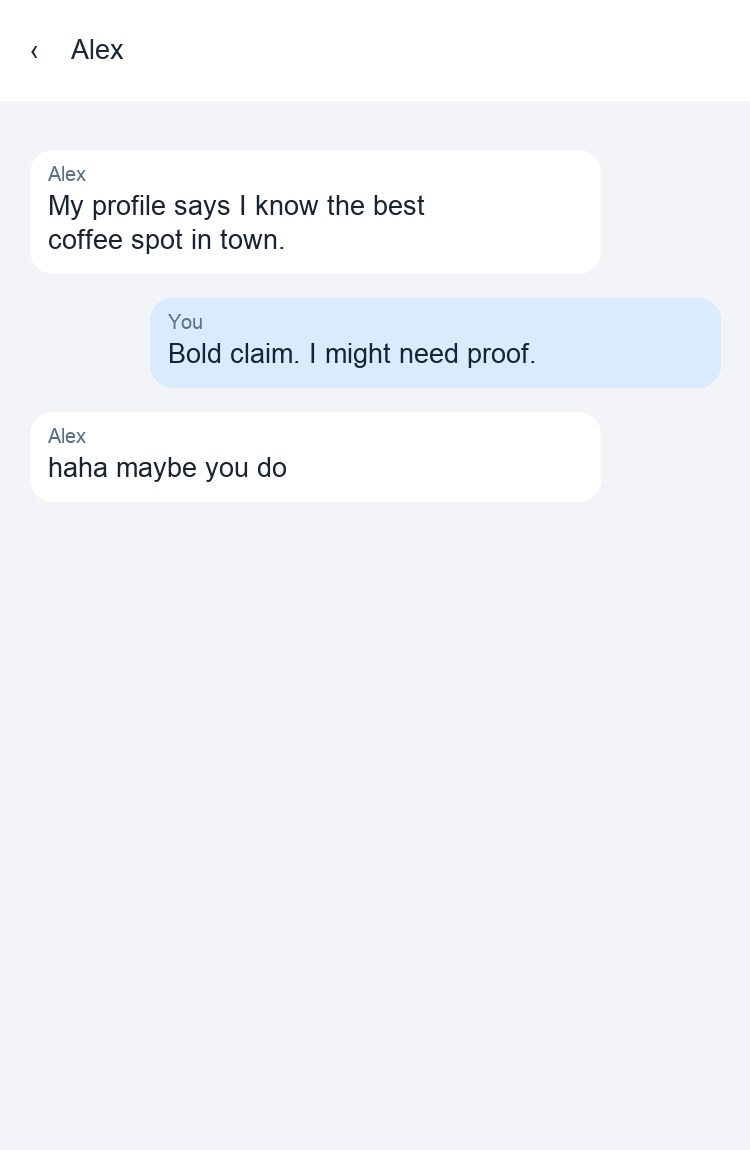
Alex: My profile says I know the best coffee spot in town.
You: Bold claim. I might need proof.
Alex: haha maybe you do
The output: five unedited reply ideas
These are the saved outputs, including their original punctuation and emoji. The style names label alternatives; they are not quality ratings.
Charismatic
Then let’s put that claim to the test—where’s this legendary coffee spot?
Humorous
Careful, I take coffee recommendations very seriously. There may be a blind taste test.
Flirty
Maybe I do. You pick the coffee, I’ll bring the company 😉
Witty
A bold claim deserves a bold espresso. What’s the address?
Conversational
Okay, I’m curious now—what makes it the best?
How we would choose a reply
The conversational version asks what makes the spot good. It follows the coffee topic without assuming a meetup has been agreed. It is a reasonable starting point if you want to keep chatting.
The charismatic version asks where the spot is. That makes a concrete next message possible, but “legendary” may sound more theatrical than your usual voice. You can keep the question and change that word.
The humorous version stays on topic, but does not ask a question. The flirty version moves toward meeting up, which may be too forward for this stage. The witty version asks for the café’s address: only use that if it fits the exchange, and do not pressure someone to share personal location details.
None of the outputs tells us what the other person will do. We did not send these messages to a real recipient or measure replies, dates, or matches.
What this example establishes—and what it does not
The five replies were recorded on 14 October 2026 by running a downloaded copy of the reply-generation function locally against the synthetic screenshot. They were not produced by tapping through the released iPhone app or calling an authenticated production endpoint in this review. The app and its models can change; a new generation may produce different suggestions.
This one selected example shows how the replies differ in tone and how they refer to the same input. It does not establish typical quality, screenshot-reading accuracy across other chats, reliability, speed, or value compared with another app. No failures were recorded for this example; we have no measured failure rate to report.
Try the workflow in Flamer
- Choose a conversation screenshot you have permission to process. Crop unnecessary names, faces and identifying details.
- Upload it in the iPhone app and review the reply ideas.
- Check the context, remove anything untrue and edit the wording to sound like you.
- Choose whether to copy a reply back to your conversation. Flamer does not connect to your dating account or send the message for you.
The first successful chat generation provides five replies free. Further chat generations require Premium and remain subject to generation limits. Check current published pricing and limitations and image processing and retention details before uploading.
Related guides
- Flamer’s reply workflow for iPhone
- How to reply to a dating message
- How to make AI dating replies sound natural
- How to reply when the message is just “hey”

Free to download · In-app purchases · iOS 17+
← All field notes